Waiting Room TV Slideshow: What to Put on the Screen, and What Never To
The slides that earn their place on a waiting room TV, a realistic loop length and dwell time, the things that must never appear on a screen in a public room, and how to stop the whole thing going stale by week three.
A waiting room TV slideshow is a short repeating loop of operational slides: opening hours, who is in today, the services you offer, what to bring, and the health information you already hand out on paper. It runs on a timer and it comes round every minute or two. Done properly it answers the questions the front desk answers out loud all day, and it carries nothing at all that identifies a person.
This post is the content half of the job: what earns a place on the screen, how long to leave each slide up, what must never appear, and how to stop the whole thing going stale by the third week. The product half, pairing a screen and putting it on a schedule, is on the waiting room TV page.
One thing we are not going to tell you: that a screen makes a wait feel shorter. You will find that claim on a lot of signage pages. We have not measured it, and usually neither has the page making the claim.
What should you put on a waiting room TV slideshow?
Five kinds of slide earn their place, and every one of them is something your front desk already repeats all day.
Opening hours, closures and today’s timings. The most useful slide in the room and the one most often missing. If your hours change by day, that is a slide per day rather than a grid nobody can read from four metres away.
Who is in today, by role. A physio, a dental hygienist, a duty doctor. Roles age better than names: the first time a locum swaps in, a board naming individuals is wrong and nobody notices for a fortnight.
The services you offer. Most people in the chair know one thing you do and not the other six. This is the slide that does the quiet work, and it is also the slide where you have to be careful: publishing a price against a procedure is restricted in a lot of places, and a claim about a treatment outcome is restricted almost everywhere. Name what you do, not what it will achieve.
Health information you already print. The leaflets on the rack are already approved and already yours. Putting one on a slide is a formatting job rather than a writing job, which makes it the fastest content you will make.
Seasonal and standing notices. Flu clinic dates, bank holiday hours, the car park being resurfaced, the new entrance. These are the slides that go stale, which is why they should be dated (see below).
| Slide | The question it answers | How often it changes | Where it comes from |
|---|---|---|---|
| Opening hours and closures | ”Are you open on Saturday?” | Rarely, then suddenly | Your own door sign |
| Who is in today, by role | ”Is there a physio here?” | Daily or weekly | The rota |
| Services offered | ”Do you even do that?” | Twice a year | Your price list or website |
| What to bring | ”Do I need my card?” | Almost never | The front desk script |
| Health information | Whatever the leaflet answers | Rarely | The leaflet rack |
| Seasonal notice | ”When is the flu clinic?” | Constantly, and it must expire | Whoever announced it |
If you would rather start from a finished layout than a blank slide, the healthcare templates are built for exactly this set and are meant to be pulled apart.
How long should each slide stay on the screen?
Ten to twenty seconds for a slide with a sentence on it, twenty to thirty for anything with a list. The test is whether somebody who did not know the slide was coming can read it twice before it changes.
Six to eight slides at those timings gives a loop of about ninety seconds.
That arithmetic is the whole design brief. Eight readings is why a joke does not belong on a waiting room screen, why a slide with a punchline is worse than a slide with a fact, and why the loop should be short enough to be caught whole rather than long enough to be interesting. In ChannelOS the dwell time is a property of each slide, so slide 4 can sit for ten seconds while slide 5 sits for twenty, and the loop is just the sum.
Should you just put a TV channel on instead?
You can, plenty of practices do, and it has two costs worth naming first. You are handing your own room to somebody else’s advertising, including advertising for businesses you compete with, and you have no control over what appears at eleven in the morning, which in a room with children and unwell people is a real consideration. There is also a licensing question: in the UK, showing live broadcast television on business premises needs a TV licence, so check before assuming the free option is free.
| Printed notices | A broadcast TV channel | A scheduled slideshow | |
|---|---|---|---|
| Who decides what is on screen | You | The broadcaster | You |
| Other people’s advertising | None | Yes, continuously | None |
| Making a change | Reprint it, walk it over, pin it up | Not yours to change | Edit once, every screen follows |
| Removing a notice | Somebody has to remember | Not applicable | A dated slide expires by itself |
| Cost of one small correction | A trip to the printer | Not applicable | None |
| What it runs on | Paper | An aerial or a set top box, plus any licence | The television’s own browser |
What should never go on a waiting room TV?
Anything that identifies a person. No patient name, no photograph of a patient, no case or diagnosis detail, no token or appointment number attached to an individual, and no list of who is being seen next.
A screen in a room full of strangers is a publication. Putting names or appointment times on it is a live privacy exposure under India’s DPDP Act 2023, Brazil’s LGPD and the HIPAA Privacy Rule in the United States, and the exposure lands on the practice, not on the software vendor. We should also be straight about our own part in that: ChannelOS gives you no redaction control and no audit log, so if it is ever disputed you cannot prove what was on the screen at a given minute.
Three more that catch people out:
- A live queue or token number. Not because it is private in itself, but because a slideshow cannot know it. See the next section.
- Treatment claims, procedure prices and before and after photographs. These are governed by medical advertising rules in most markets, and in India the consequence attaches to the practitioner’s registration rather than to the screen. Say what you do. Do not say what it will achieve.
- A slide with a date on it and no end date. “Flu clinic Saturday” is correct for one week and embarrassing for the rest of the year, and it quietly teaches the room that nothing on the screen is current.
Why do muted video and a live clock change how the screen reads?
Because a still board becomes wallpaper once the room has read it, and a clock answers the question the room is actually asking.
Muted video, not silent stills. A short looping clip behind a title is the cheapest way to make a screen get looked at, and muted is not a compromise: a waiting room already has conversations and a receptionist on the phone in it, and sound from a screen competes with whoever is trying to check somebody in. Browsers block autoplay with sound anyway. Write the message on the slide.
A live clock, not a picture of one. In ChannelOS the clock is a widget that renders the real time rather than being baked into the design, which matters because the question in a waiting room is never “what time is it” in the abstract. It is “how long have I been here”. The same applies to a ticker for a standing notice, and to a QR code that stays live when you change where it points.
Why should the screen run on a weekly schedule?
Because nobody remembers. The screen that says “flu clinic Saturday” is still saying it on Thursday, and the one that says “closed 25 December” is still up in March. Staleness is not a design failure, it is an unassigned job.
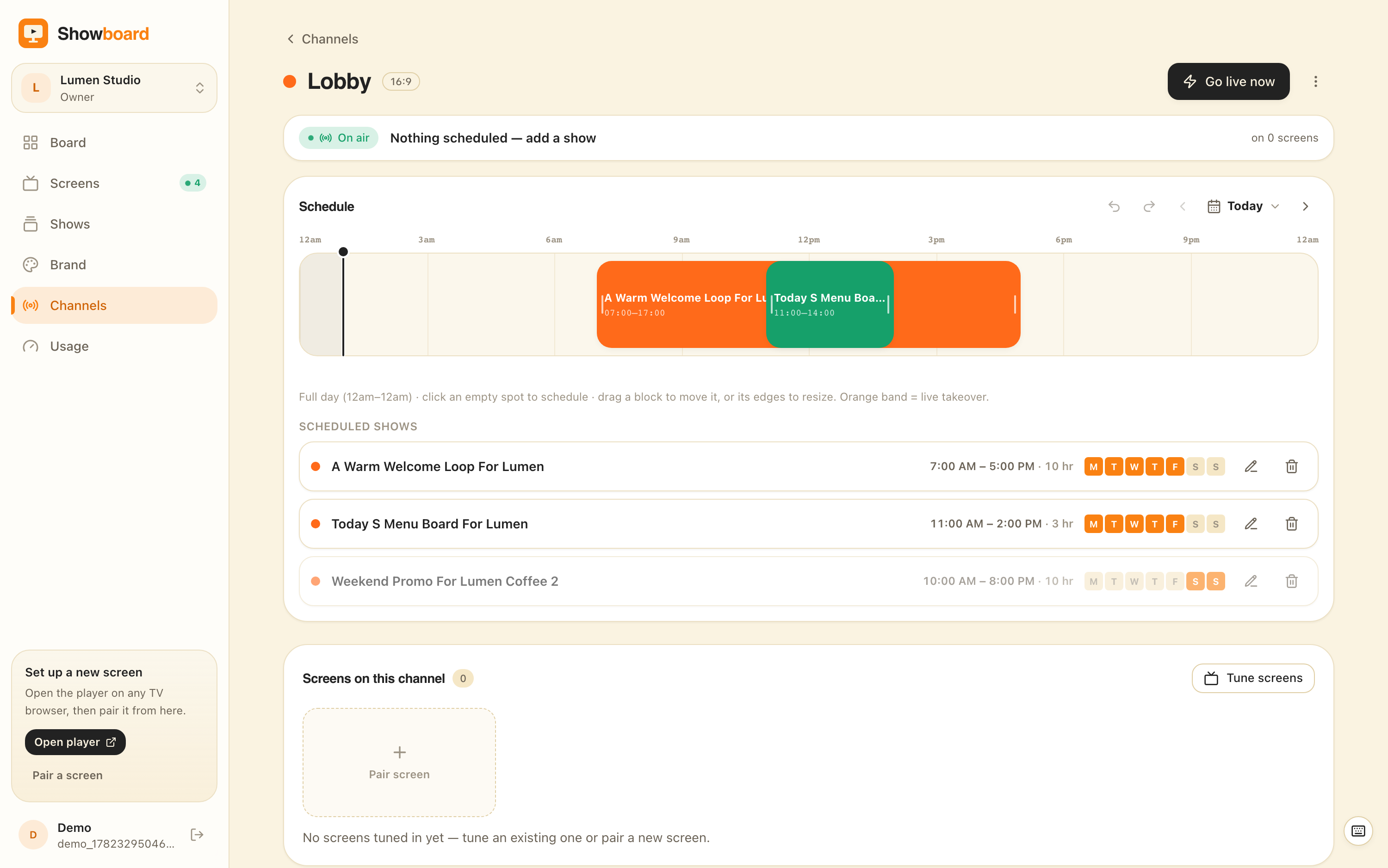
A channel in ChannelOS is a named feed with a real daily timeline that understands both the hour and the weekday, so the schedule does the job instead:
- Build the boards once. The morning set, the afternoon set, the Saturday set.
- Give each one a window. Weekdays 08:00 to 12:30 for the morning board, 12:30 to 18:00 for the afternoon one, and a separate Saturday board that only ever appears on Saturday.
- Date the temporary slides. A flu clinic notice runs between two dates and stops on the second one, with nobody involved.
- Point the screen at the channel. From then on the wall changes because the clock changed, not because somebody walked over to it.
The fourth step is the one that decides whether the screen is still good in six months.
Who should not run a waiting room screen on ChannelOS?
Three groups, and we would rather say so here than after you have built the slides.
If you actually want a queue or token board, buy a queue display. The job is a live number pulled from your practice management software or your point of sale, and ChannelOS reads from no external system at all: no connector, no calendar feed, nothing. The number on our screen would be whatever a person last typed. Buy the queue system that talks to the software already holding the number.
If the site has power cuts or unreliable internet, buy a caching player. A screen already playing rides out a brief wifi drop off its own clock, but a power cut or a reload while offline leaves it blank until the connection returns, and we have no proof of play report of any kind. If either of those is a requirement, buy a platform that ships a media player box with local storage and a playback log. Do not buy us and hope.
If content has to pass an approval chain, buy something with one. We have no approval workflow, no audit log and no per role publishing gate: roles are workspace wide, so any editor can publish to any screen immediately. That is fine for a two room practice and wrong for a hospital. ScreenCloud and TelemetryTV are built for that requirement.
How do you get the first screen running?
Four steps, and the pairing part takes about two minutes.
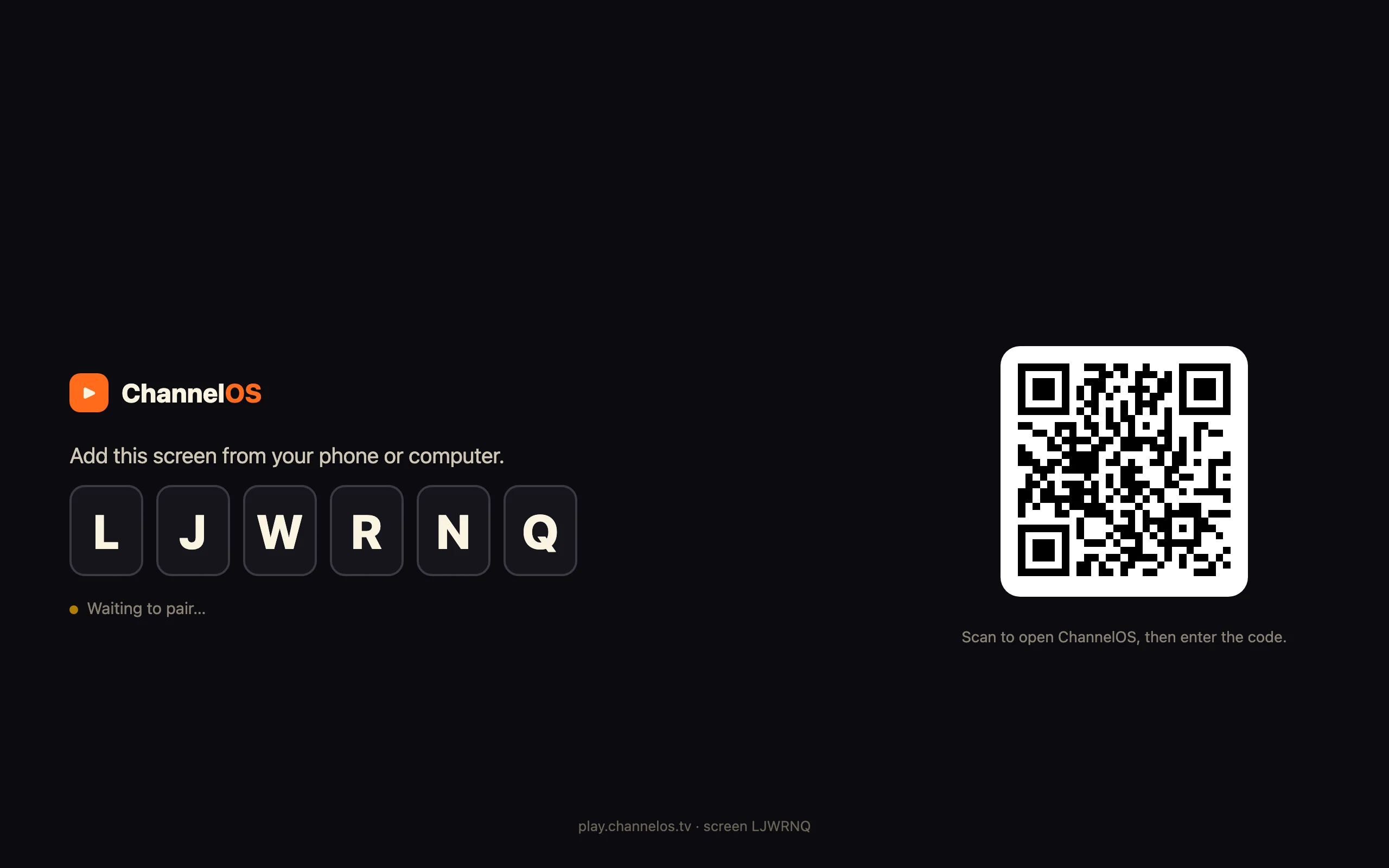
- Open the player on the television itself. Type
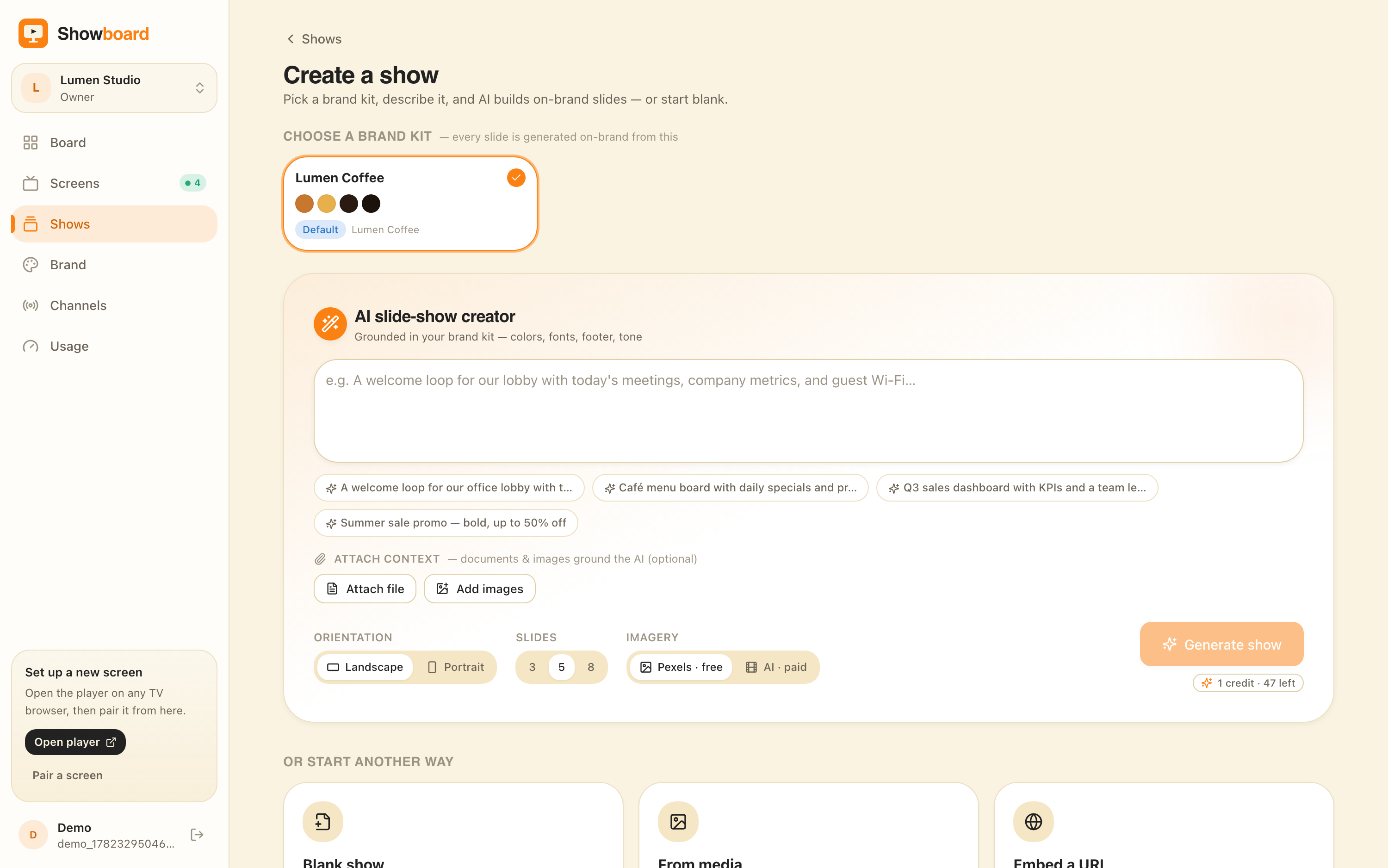
play.channelos.tvinto the TV’s browser, or the browser on whatever stick is plugged into it, and a six character code appears. Scan it from your phone and that television is paired. Which televisions can do this, and what to do when yours cannot, is covered in how to turn your TV into digital signage. - Start from a board, not from a blank slide. Pick a layout from the healthcare templates, or describe what you want in a sentence and let the AI draft the whole set, then edit it. Either way you are correcting something rather than starting from nothing.
- Set the dwell time per slide. Ten to twenty seconds, twenty to thirty for the lists. Read the loop through once at the far wall of the room, not on your laptop.
- Put it on a channel with windows and dates. Morning, afternoon, Saturday, and an end date on anything seasonal.
The first screen is free forever, with no card and no trial clock. Rates for further screens are on the pricing page, and there is no player box to buy either way, because the television’s browser is the player.
Get a screen live, free
Pair the waiting room TV, build the six slides that answer what the front desk answers all day, put them on a weekly schedule, and date the seasonal one. Then leave it alone and check in a month whether it is still correct. That is the only test of a waiting room screen that means anything.
Frequently asked questions
- How long should each slide stay on a waiting room TV?
- Ten to twenty seconds for a slide carrying one sentence, and twenty to thirty for anything with a list on it, such as opening hours or a services board. The test is whether a person who did not know the slide was coming can read it twice before it changes. Slower than thirty seconds and the screen stops looking alive; faster than ten and half the room misses it.
- How many slides should a waiting room slideshow have?
- Six to eight. That gives a loop of roughly ninety seconds to two minutes, which is short enough that anyone who sits down catches the whole thing, and long enough that it does not feel like the same slide over and over. Someone waiting twelve minutes will see a ninety second loop about eight times, so the test for every slide is whether it survives being read eight times in a row.
- Is a waiting room TV slideshow the same as a queue or token board?
- No, and they should not be confused. A slideshow plays a fixed set of slides on a timer, so it shows whatever was last typed into it. A queue or token board reads a live number out of practice management software or a point of sale system and updates itself. If the number currently being served is the whole reason you want a screen, buy a queue display that connects to the system holding that number. ChannelOS reads from no external system and has no token widget.
- What must never go on a waiting room TV?
- Anything that identifies a person. No patient name, no photograph of a patient, no case or diagnosis detail, and no token or appointment number attached to an individual. A screen in a room full of strangers is a publication, and naming people on it creates exposure under India's DPDP Act 2023, Brazil's LGPD and the HIPAA Privacy Rule in the United States. Treatment claims, price promises on a procedure and before and after photographs are a separate problem under medical advertising rules, and that problem lands on the practitioner's registration.
- Should a waiting room TV play sound?
- No. A waiting room already has conversations in it and a receptionist taking phone calls, and audio from a screen competes with the person trying to check somebody in. Run video muted with the message written on the slide instead. Browsers also block autoplay with sound as standard, so a screen running in a browser will start muted whatever you intend.
- How do you stop a waiting room screen going stale?
- Put it on a schedule rather than on somebody's memory, and give the temporary slides an end date. A weekly schedule can show the morning board in the morning and the afternoon board after lunch, and a different board on Saturday, without anyone touching it. A dated notice, such as a flu clinic or bank holiday hours, is set to run between two dates and takes itself down when the second one passes. Almost every stale waiting room screen is stale because taking a slide down was a job nobody was given.
- What does it cost to run a slideshow on a waiting room TV?
- With ChannelOS the first screen is free forever, and further screens are priced per screen per month with current rates published on the pricing page. There is no media player box to buy and no per device licence, because the slideshow runs as a web page in the television's own browser. The hardware cost is a screen you probably already have, plus an inexpensive browser stick if the television is too old to open a web page.
Your screen is two minutes away.
Open the player on a TV, scan the code, publish a show. Your first screen is free.