Your TV can sell for you.
Open a link on the TV, pair it from your phone, and it plays. Say what you want on it and the AI draws the whole board: your photos, your colours, your rates. Set the times once and it runs all day, every day, changed any time from that same phone. Your first screen is free for ever : one TV, 50 AI credits a month, no card.
Sign up, open the player on the TV already in the room, scan the code. Nothing to install and nothing to plug in.
No box to buy · set it up yourself · your own changes are unlimited

Before you sign up
Or just say what your TV should show.
Type it in plain words and it draws the screen right here, before you make an account.
Type what your shop needs today
Describe your screen. I'll design a slide, then sign you in to build the rest.
This is what it looks like on a Tuesday.
Every board below is drawn by the same renderer your TV runs. Nothing here is a mock-up.
-
Cafe & coffee · Third Shift Coffee
-
Burgers · Sear Smash Co.
-
Pizzeria · Forno Nine
-
Gym · Forge
-
Clinic · BrightSmile
-
School · Brightfield Academy
These are our own sample venues, not customers. We have not put words in anyone's mouth: the boards are real product output, the businesses are made up, and we will say so until there are real ones here to name. Type your own menu and watch this happen →
Boards to start from, by trade: cafés and restaurants, gyms and studios, clinics and waiting rooms, events, hotels and shops. One TV or one standee is enough to start.
Never heard of digital signage? It is simpler than the name.
A digital sign is a television showing something useful instead of a channel. A menu. A price list. Today's offer. The class timetable. Whatever the people in that room need to read.
The software's only job is to let you change what is on that television without walking over to it. You change it on your phone, the television changes. That is the entire category.
Most companies who sell this will also sell you a small box to plug into the television, because that box is how their software gets onto the screen. ChannelOS does not need one. The television already has a web browser, and that browser is the player.
If you have a TV and wifi, you have everything.
Setting it up
There is no step two.
Every other signage company's setup guide has the same middle step: buy a player. A streaming stick, an Android box, a Raspberry Pi, their own branded one. It is a real cost, and it is also the reason the whole thing starts to feel like an IT project.
- 1
On the TV, open play.channelos.tv
Type it into the television's own web browser, the same way you would open any website. A six-character code appears on the screen.
- 2
On your phone, type the code
That television is now yours to control. Whatever you put on it appears there, and stays there, and changes when you change it.
That is it. Nothing to buy, nothing to mount, nothing to wire, and nobody has to come to your shop. If you would rather install something, our Android TV app does the same job. It is not on Google Play yet, so it is a download from our site, and the board is the same either way.
Runs on what is already on the wall
- Android TV
- Google TV
- webOS
- Fire TV
- any browser
If your television is not a smart one, an old streaming stick or a laptop you already have will drive it, and we would rather tell you that than sell you something.
When a box is the right answer
A screen that is already playing keeps playing if the wifi drops, but it needs the connection back to come up again after a power cut, because nothing is cached on the television itself. If a screen has to survive a long outage entirely on its own, buy a player from a company that sells one and ask them about local storage. That is a real reason to pay for hardware. Ours is not one of them.
Why a screen earns its place
The hard part was never the schedule. It's getting noticed.
A screen only pays off the second someone looks up. Your job isn't queuing content — it's stopping the person walking past and showing them what you serve. ChannelOS makes that screen impossible to ignore.
-
Stop real life mid-stride
A bright, moving screen catches an eye where a printed poster never will — the passer-by looks up.
-
Show what you serve
Today's special, the new drop, the reason to stay — the thing you actually want seen, not static wallpaper.
-
Right message, right moment
It shifts through the day on its own — breakfast at 8, happy hour at 6 — so the screen always fits the room.
And the thing you wanted to say today never made it onto a wall at all.
One board says the coffee is 180, the one by the door still says 160, and someone is at the counter holding you to the lower number. The poster you had printed went out of date the week it went up. And the thing you actually wanted to tell people today, the new dish, the 6pm offer, the fact that you now deliver, never made it onto a wall at all. Because changing it meant a trip, a designer, and two days.
A screen fixes that only if changing it takes ten seconds from your phone. That is the entire job ChannelOS does.
Making what goes on it
Type it. It draws it. Then it keeps it right.
Most people who need a screen are not designers, and that, not the technology, is where this usually stalls. So you do not start with a blank canvas. Say what the screen is for in one sentence and every slide is drafted for you, in about a minute, in your colours.
Then it stays. When the price changes you say so in plain words and it edits the screen that is already on the wall. Other tools that offer AI draft a slide once and hand you an editor. This one is still there in six months.
-
Create by describing
Say what the business is; every slide drafts itself, on-brand — no prompt-craft, no blank canvas.
-
Update in plain words
Swap the special, drop a price, restyle a slide — ask, and the AI edits the live show for you.
-
Maintain, not babysit
Canva and Yodeck generate a slide once and leave you to it. Here the AI keeps the show current — the whole way through.
How it works
Three steps, start to on the wall.
Pair a screen, make what goes on it, put it live. That is the whole product. Watch someone do all three.
The whole thing, unedited: sign up, build a show, say when it airs, pair a TV — then change four screens at once. In four parts, so you can watch just the one you need.
- CH 01
Pair
Open play.channelos.tv on the TV — it shows a code and QR. Scan it from your phone and the screen is yours. No installs, no account on the TV.
- CH 02
Build
Describe the show and AI drafts every slide — or fine-tune it in the Canva-style editor. Pull in images, video, PDFs, even a webpage.
- CH 03 Live
Publish
Push it to any screen instantly, or schedule it on a channel. Edit once — it airs everywhere. No re-publishing, no waiting.
Android TV and Google TV
A digital signage app for your Android TV or Google TV, straight from our site.
Open play.channelos.tv in the TV's own browser and your board plays, with nothing to install. The app is for a screen that is often alone in a room, and it does the few things a browser tab cannot do for itself. It is not on Google Play yet, so it comes from our site, for Android 8.0 or newer.
The TV's browser
The TV usually comes back on its home screen, so someone opens the page again.The Android TV app
Tries to open the board by itself. That is best effort, because TV makers limit apps that start on their own. Set it as the TV's home app and it does.The TV's browser
Reload it in the TV's browser, like any website.The Android TV app
Retries the load on its own, and rebuilds the page if it crashes.The TV's browser
The buttons work the TV's browser.The Android TV app
A ChannelOS menu with screen info, reload and re-pair, and it opens even over a blank board.Shows, schedules and pairing are the same either way, and it is the same screen on the same plan.
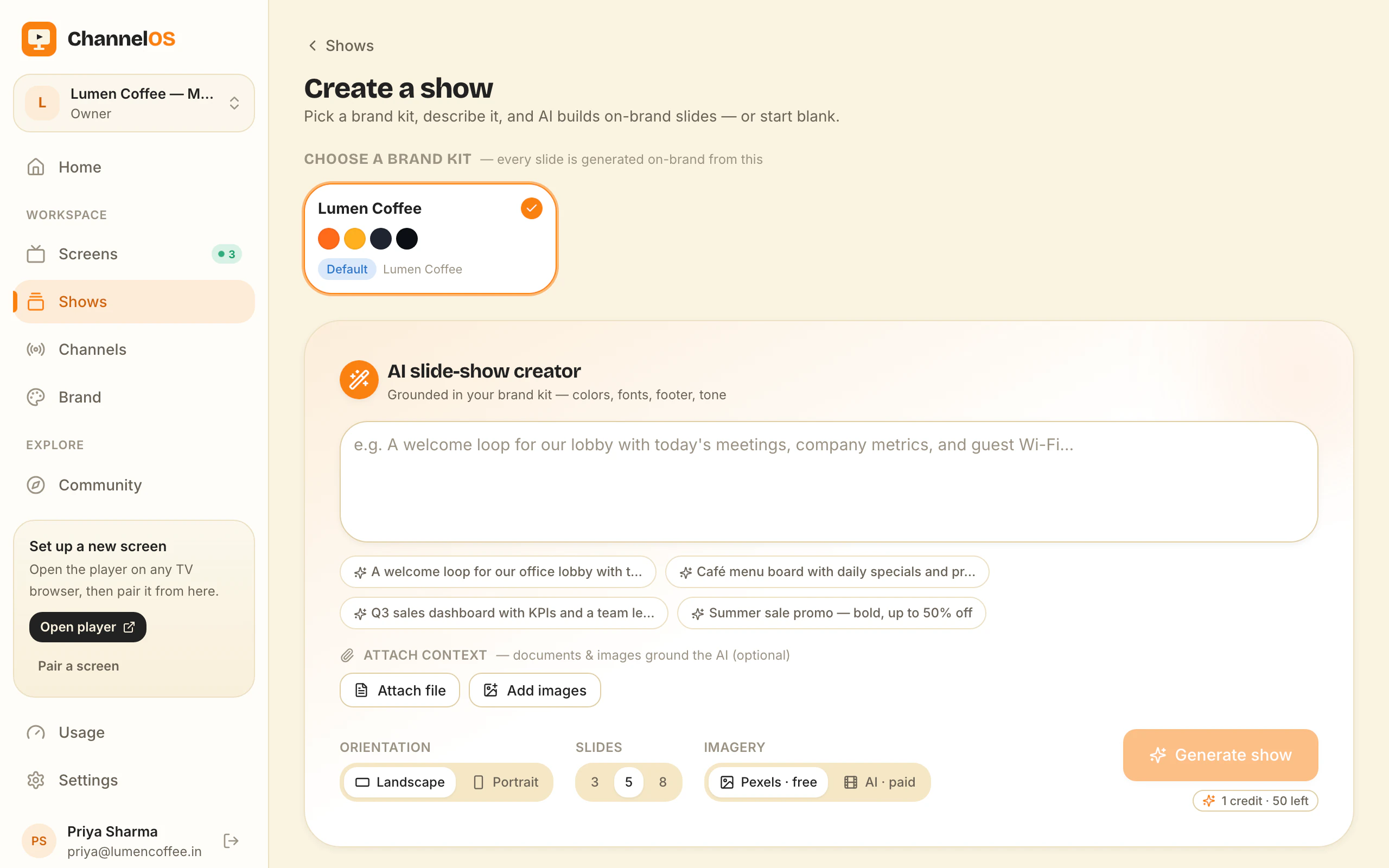
Build · AI-first
Describe it. Watch the whole show appear.
- Pick a subject, goal and look from chips — no prompt-writing
- Attach PDFs & images; ChannelOS reads them into slides
- Every draft is a real, editable show — not a flat export
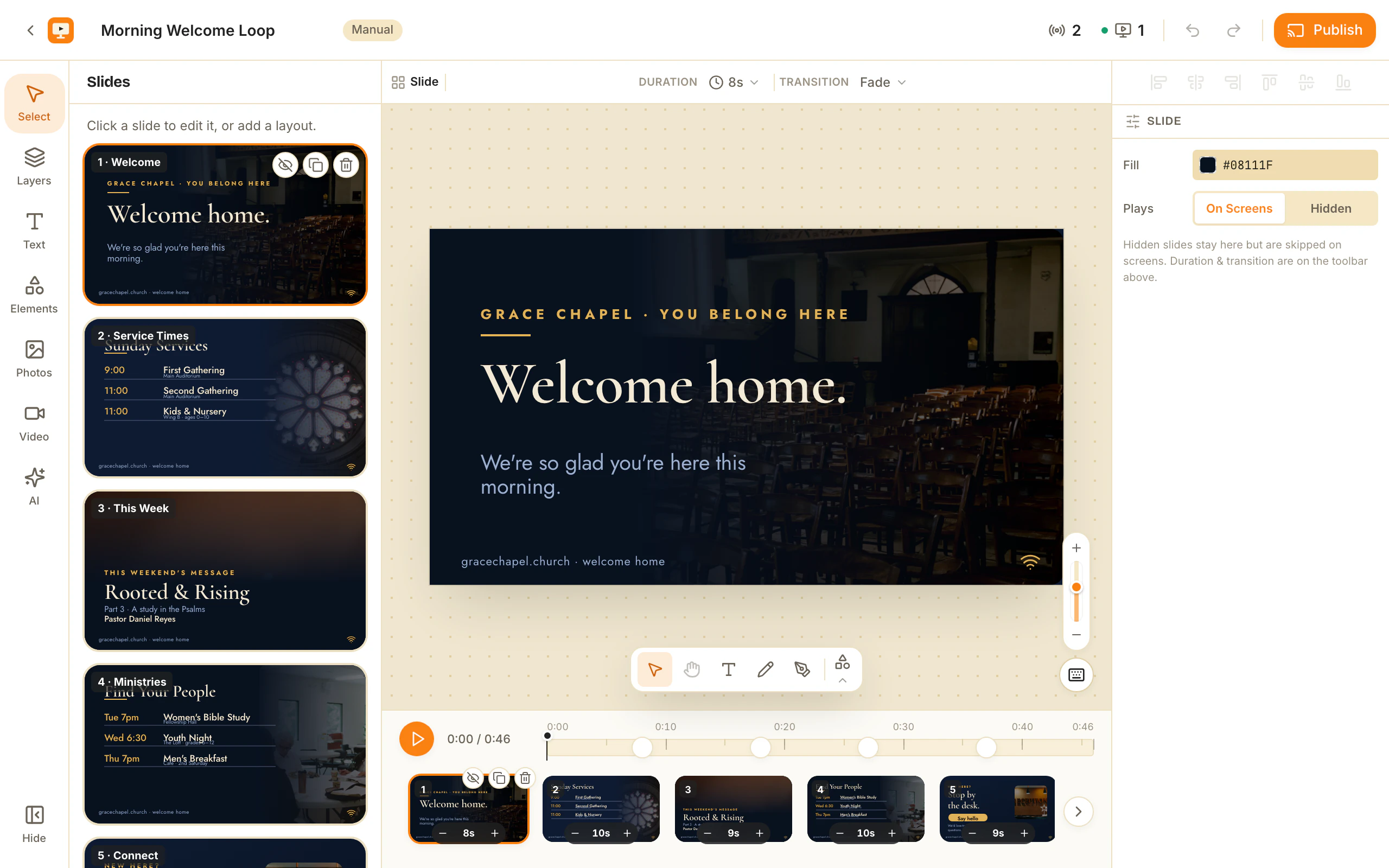
Build · Editor
A real editor — calm enough for a non-designer.
- Drag, resize, rotate, group — with undo, copy/paste, shortcuts
- One-tap background removal for clean photo cutouts
- Rich text, live widgets, and free Pexels photo & video built in
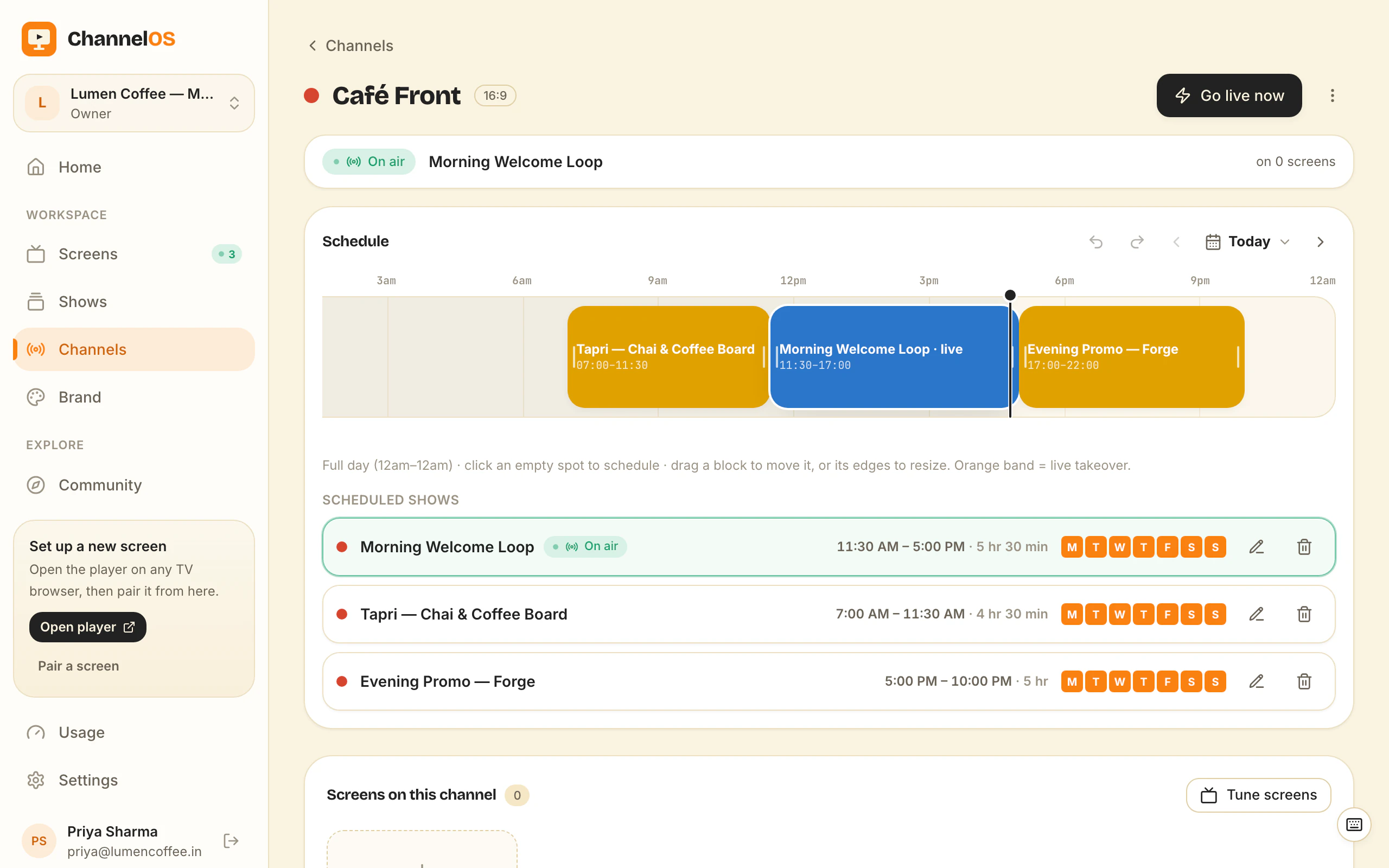
Publish · Channels
Program a channel. Screens just tune in.
- Edit a show and it airs on every screen instantly
- Dayparting: weekday/weekend, by hour, set once a week
- Takeover any channel live, then let the schedule resume
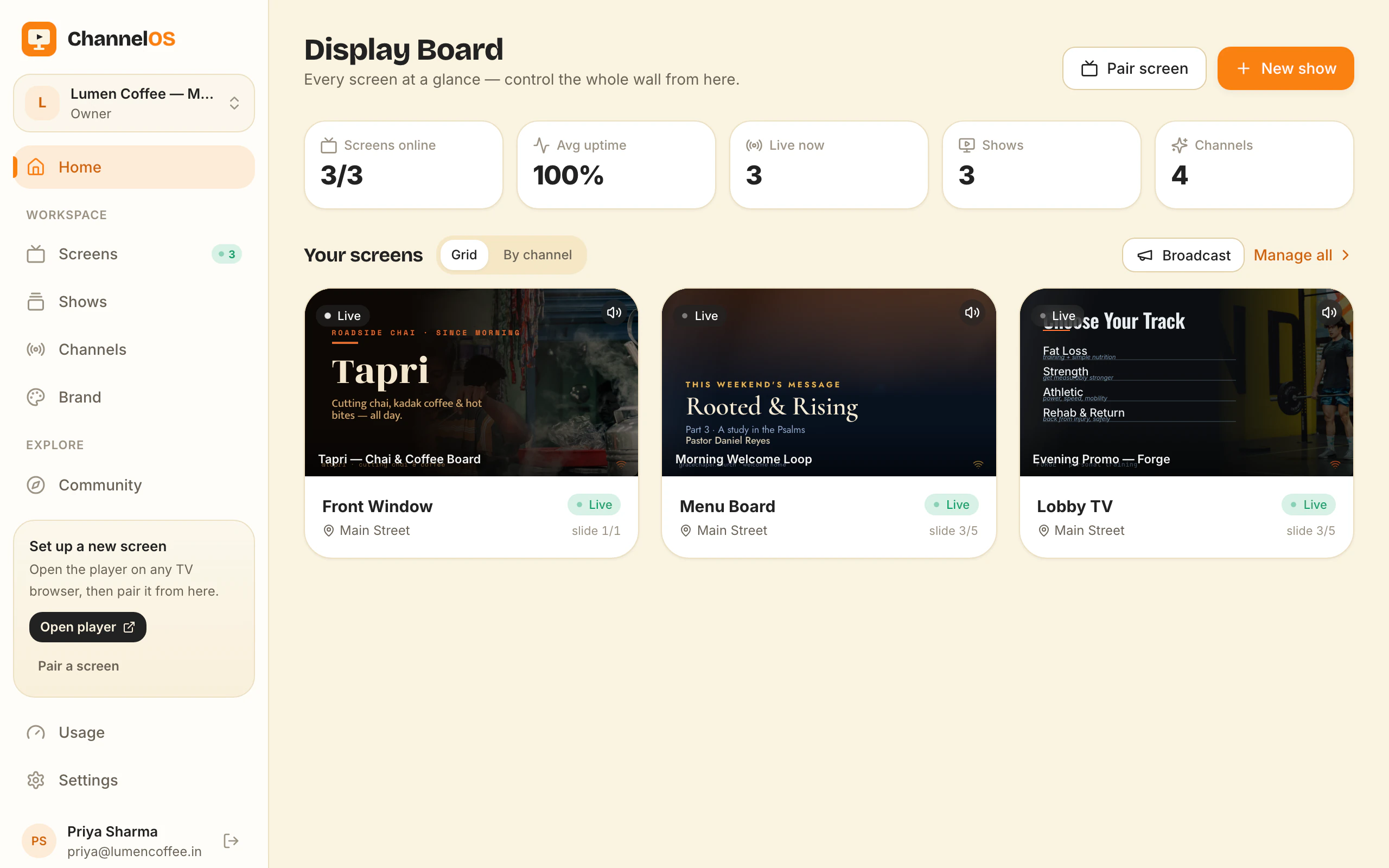
Publish · Live board
One board. The whole wall, alive.
- Live thumbnails of exactly what each screen is showing
- One tap: play · pause · blank · mute · next · hold
- Actions hit the glass in milliseconds
Everything else it does.
You will not need most of this on day one. It is here for the day you do.
-
Background removal, built in
One tap lifts a clean cutout off any photo — no Photoshop, no alpha-channel hunting.
-
Pexels photo & video
Millions of free, licensed photos and clips searchable from inside the editor.
-
Live widgets
Clock, weather, QR, menus and tickers update themselves on screen — set once.
-
Embed anything live
Drop in a TikTok, Instagram post, X post, Threads post, or a live Power BI dashboard — paste a link, it plays.
-
Self-updating TVs
Screens quietly pull new builds and reload themselves — you never touch the hardware.
-
Export & import
Pack a whole show — slides, media, fonts — into one .show.channelos.tv file (or a channel into .channel.channelos.tv) and move it anywhere.
-
Phone-first control
Every action — pause, blank, swap, schedule — works one-thumbed from your pocket.
Templates · Community
Templates made by people like you — not a locked gallery.
- Remix any public template in one click — it copies into your workspace as a fresh, independent show
- Publish your own into the gallery, or hand a show to someone as a self-contained .show.channelos.tv file
- Likes, popular/newest sort, and a preview theater so the good ones rise
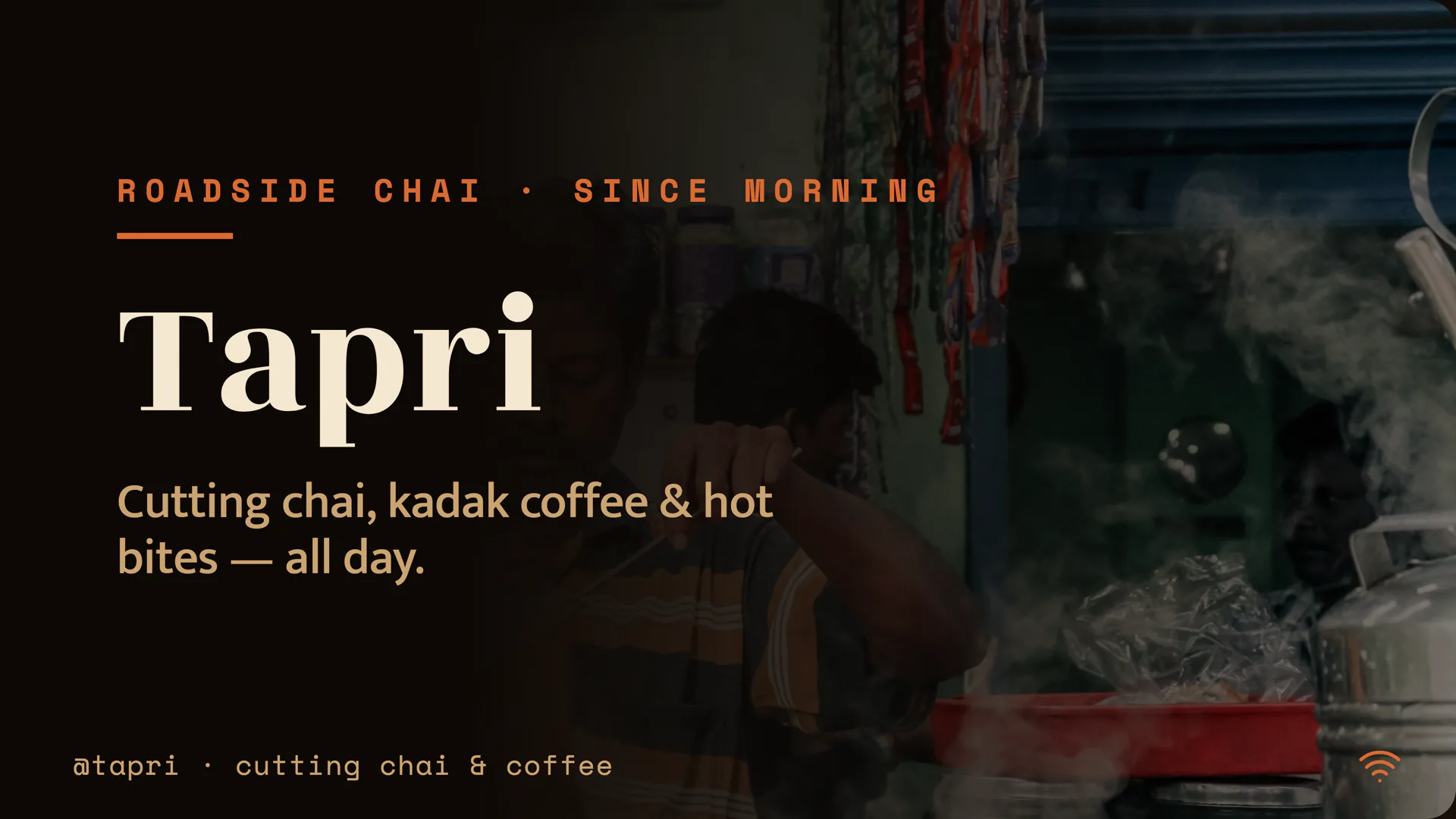
The Slow Pour
Restaurant
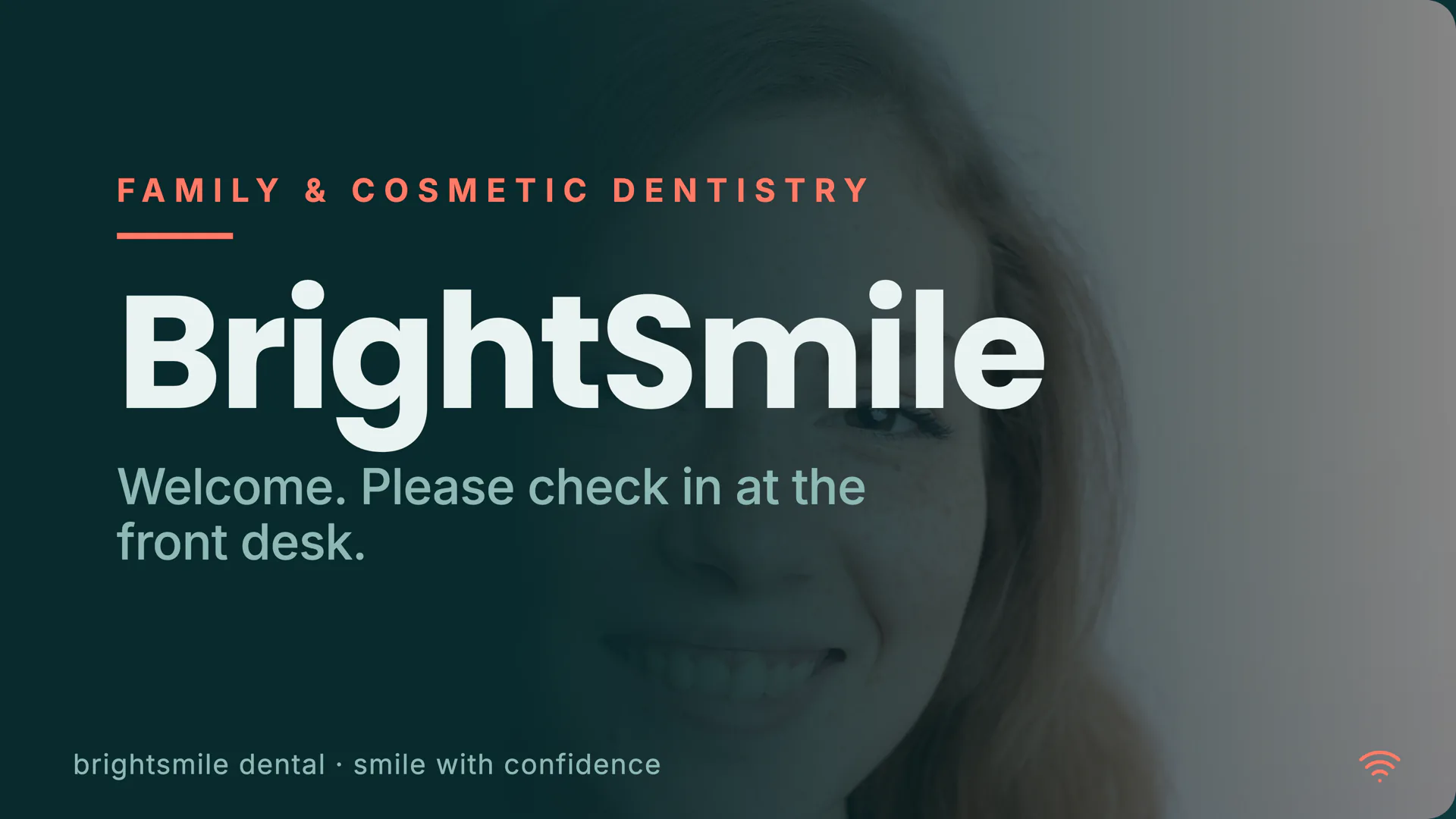
BrightSmile
Healthcare
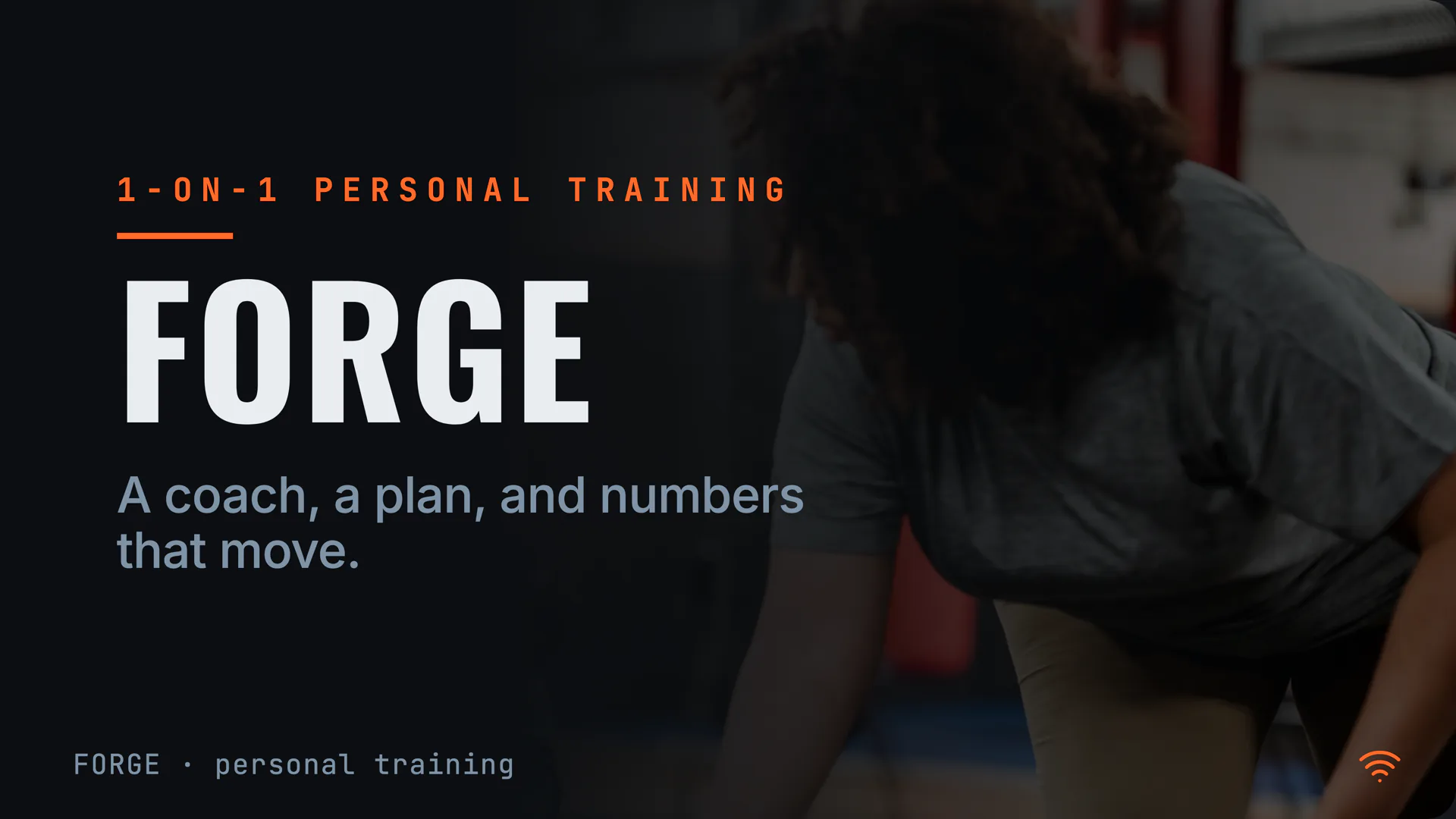
Forge
Gym
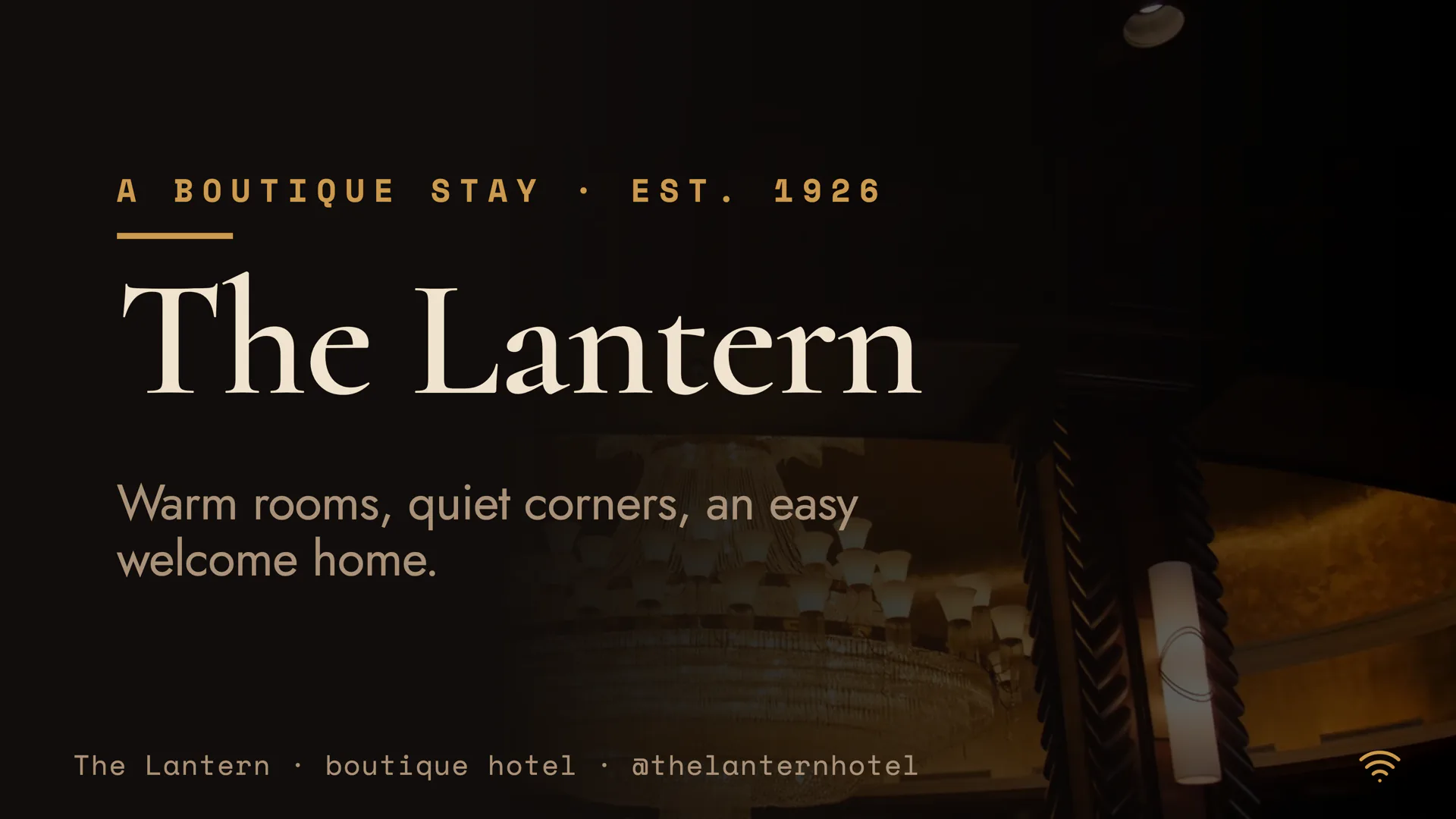
The Lantern
Hospitality
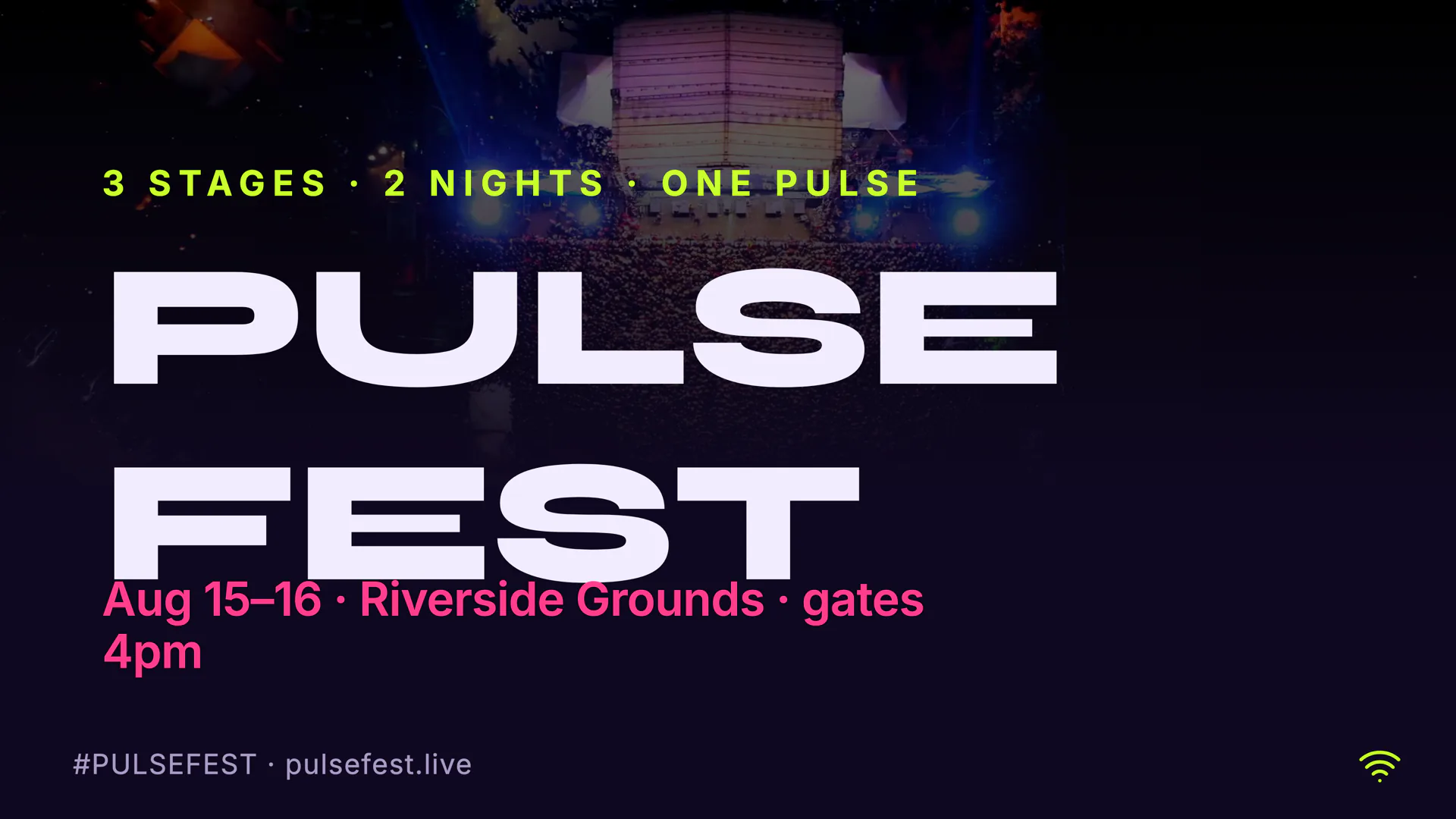
Pulse Fest
Events
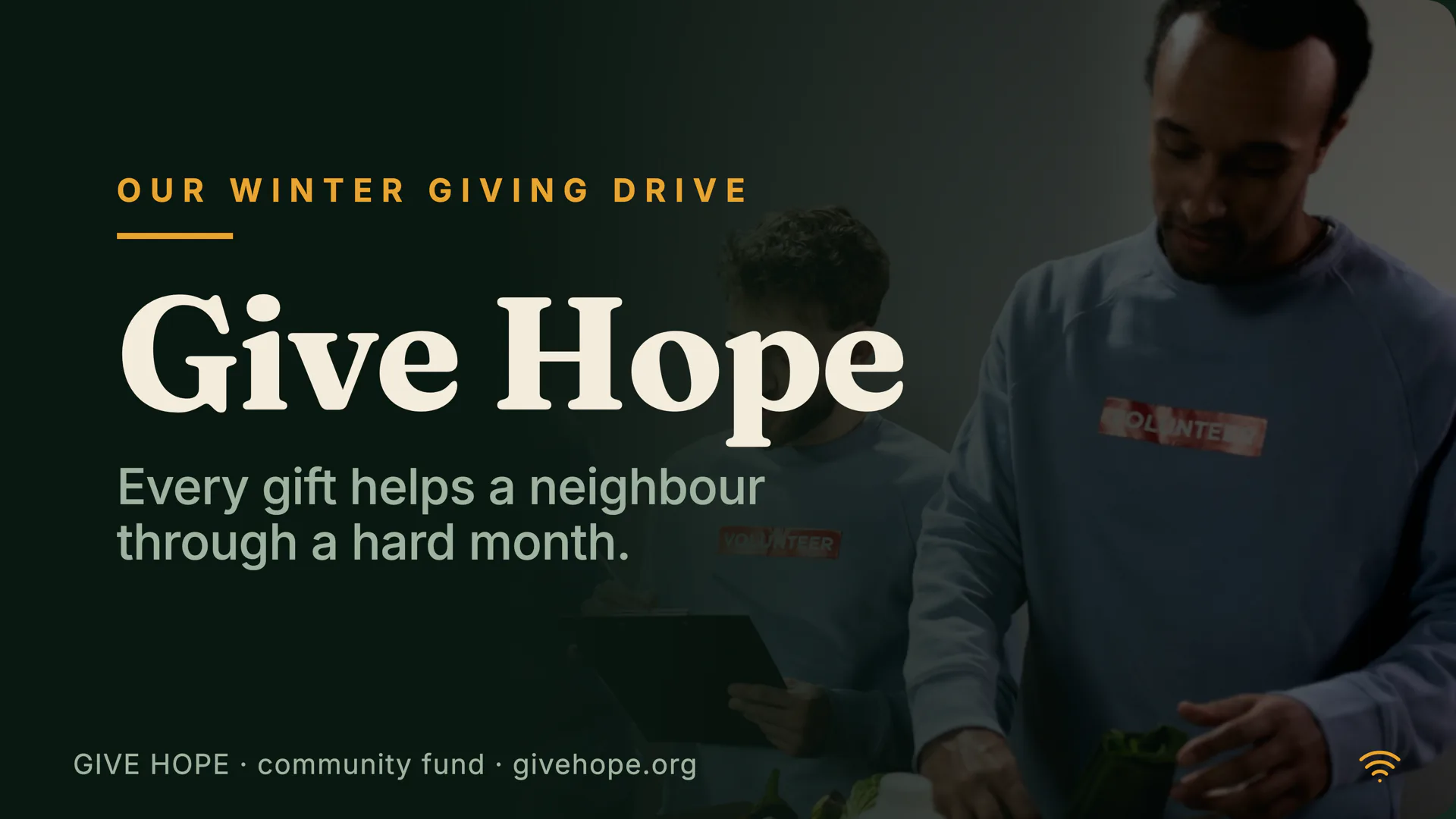
Give Hope
Community
Want to see the templates? Browse the gallery, or read how to start from a free template, build a digital menu board, or make your own template.
Browse templatesvs the old way
What the expensive ones do, without the setup.
Get a screen live
Traditional signage
Provision a device, install an app, license it
ChannelOS
Open one URL on the TV — it mints a screen
Make a show
Traditional signage
Build playlists, layouts, zones by hand
ChannelOS
Describe it — AI drafts every slide
Change what's playing
Traditional signage
Re-publish, wait for device sync
ChannelOS
Edit once — it airs everywhere instantly
Run the wall
Traditional signage
Per-device dashboards and menus
ChannelOS
One live board: play · pause · blank · swap
Setup before pixel one
Traditional signage
Accounts, agents, media library, users
ChannelOS
None — pair and publish in minutes
Read next
Working out which one you need? Start with free digital signage software and what a free plan does and does not cover, or go straight to digital menu boards and the free menu board software behind them. There is also the honest question of whether you need a signage player at all, which is the one thing on this page worth buying hardware for.
Already know the room? We have written up restaurants, retail, a waiting room TV, and running it all on an Android TV. If you would rather just draw a board first, the menu board maker needs no account at all.
Pricing
Start free. Pay per screen.
Your first screen is free for ever, and never flips to paid. 50 AI credits a month included, and the changes you make yourself are unlimited.
Free
your first screen, on us
$0 forever
no card, no trial clock
- 1 screen, free forever
- 50 AI credits a month
- Full slide editor
- Export your work anytime
- ChannelOS banner and promo slide
One screen, with the ChannelOS banner and a ChannelOS slide every few minutes.
Solo
cafés, shops, clinics, offices
$6 / screen / mo
$5 a month billed yearly
- Unlimited shows & channels
- Dayparting & scheduling
- Background removal + Pexels
- 150 AI credits a month
- No ChannelOS banner on your screens
Your own screens, with no banner on them.
Pro
multi-screen & real schedules
$10 / screen / mo
$8 a month billed yearly
- Everything in Solo
- Brand kit
- 400 AI credits a month
- Priority support
Adds the brand kit, so every board matches without redoing it.
Agency
For 25+ screens
$250 / mo
$200 a month billed yearly, 25 screens included
- Everything in Pro
- Screens 26+ at $7.50 / screen / mo ($6 billed yearly)
- 1,500 AI credits, pooled
- 10 team seats included
- Onboarding help from a person
One base price for a fleet, then per screen above it.
Running a network or multi-site wall? Public channels — fan out to thousands, no pairing — are on the roadmap. Message us on WhatsApp for early access.
Compare all plans & features →Wondering about tax, refunds, burn-in, power, or who sets it up? Fifty-nine answers, in plain words →
Two minutes from signed in to on the wall.
Open the player on a TV, scan the code, publish a show. That's the whole demo.
Free screens show a ChannelOS banner, and about every 2 minutes it opens into a full ChannelOS slide; any paid plan removes both.