ChannelOS vs Play Digital Signage: no hardware, AI-drafted shows
An honest comparison of ChannelOS and Play Digital Signage, and where ChannelOS works as a Play Digital Signage alternative: Play is low-cost BYO-hardware signage; ChannelOS pairs a TV in the browser, drafts the whole show with AI, and edits once to air everywhere.
Play Digital Signage is a capable, genuinely low-cost signage platform. It’s device-agnostic to a fault — run it on a Raspberry Pi, a Fire TV Stick, a mini PC or a smart TV’s built-in player — and it pairs a drag-and-drop editor with full group-based scheduling. For a budget-conscious SMB, school, church or office that wants cheap multi-screen signage without hardware lock-in, it does that job well.
ChannelOS is for the person on the other side of the BYO-device step: the stick is not the hard part, the slides are. ChannelOS is browser-based AI-first (AI drafts the whole show), and schedule-first (edit once, it airs everywhere). This is an honest look at where the two diverge — including who should treat ChannelOS as a Play Digital Signage alternative and who is genuinely better off staying put.
Do I need a media player or device for Play Digital Signage?
Play doesn’t sell a box, but you still bring a device; ChannelOS needs no device and no app. Play is device-agnostic BYO: it runs on a Raspberry Pi 4/5, a Fire TV Stick, a Google TV / Chromecast, an Nvidia Shield, a mini PC, or the built-in player of a Samsung Tizen / LG webOS smart TV. That hardware freedom is a real strength — you reuse cheap gear you may already own and avoid lock-in. But a non-smart TV still needs some device attached and managed, whether that’s a ~$20 stick or a Pi.
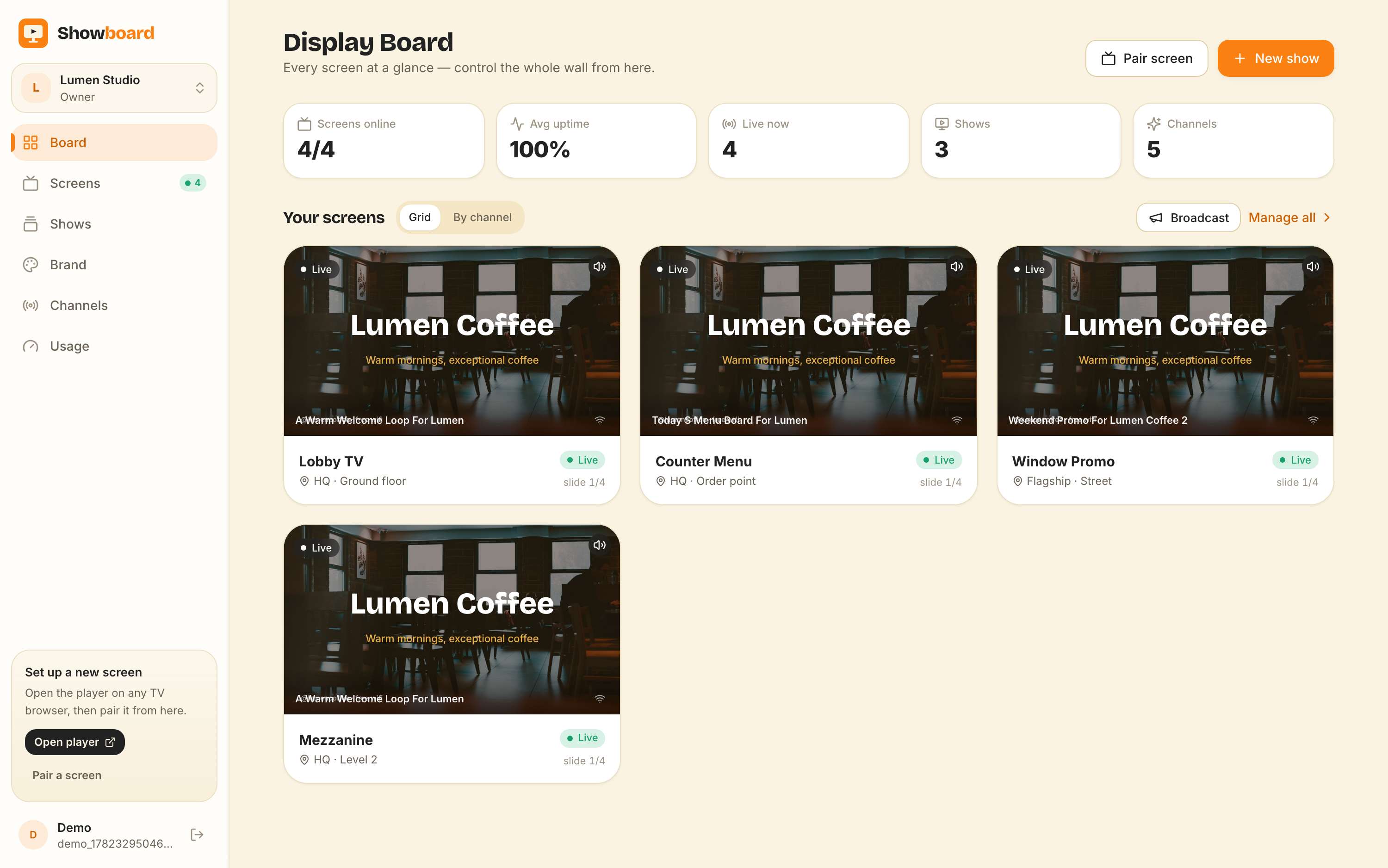
ChannelOS makes the TV itself the player. You open play.channelos.tv in the TV’s own browser — Android TV, Google TV, webOS, Fire TV, a browser-on-a-stick, even a laptop in kiosk mode — scan the on-screen code from your phone, and the screen is live in about two minutes. no separate media device to provision or keep updated.
Why it matters: “device-agnostic” still means a device to buy, wire up and maintain per screen; pairing a TV you already own removes that step entirely.
Can AI build the whole show, or do I design every slide?
Play’s only AI makes single images; ChannelOS’s AI drafts the entire multi-slide show. Play’s AI Image tool is a text-to-image generator inside the editor — describe an image, optionally hit “Enhance Prompt”, pick an aspect ratio, and it saves to your Media Library. It’s a useful helper, but it’s quota-limited (roughly 5–20 a week by tier), and Play has no AI layout assistance and no AI copywriting. So you still build every slide, layout and sequence by hand.
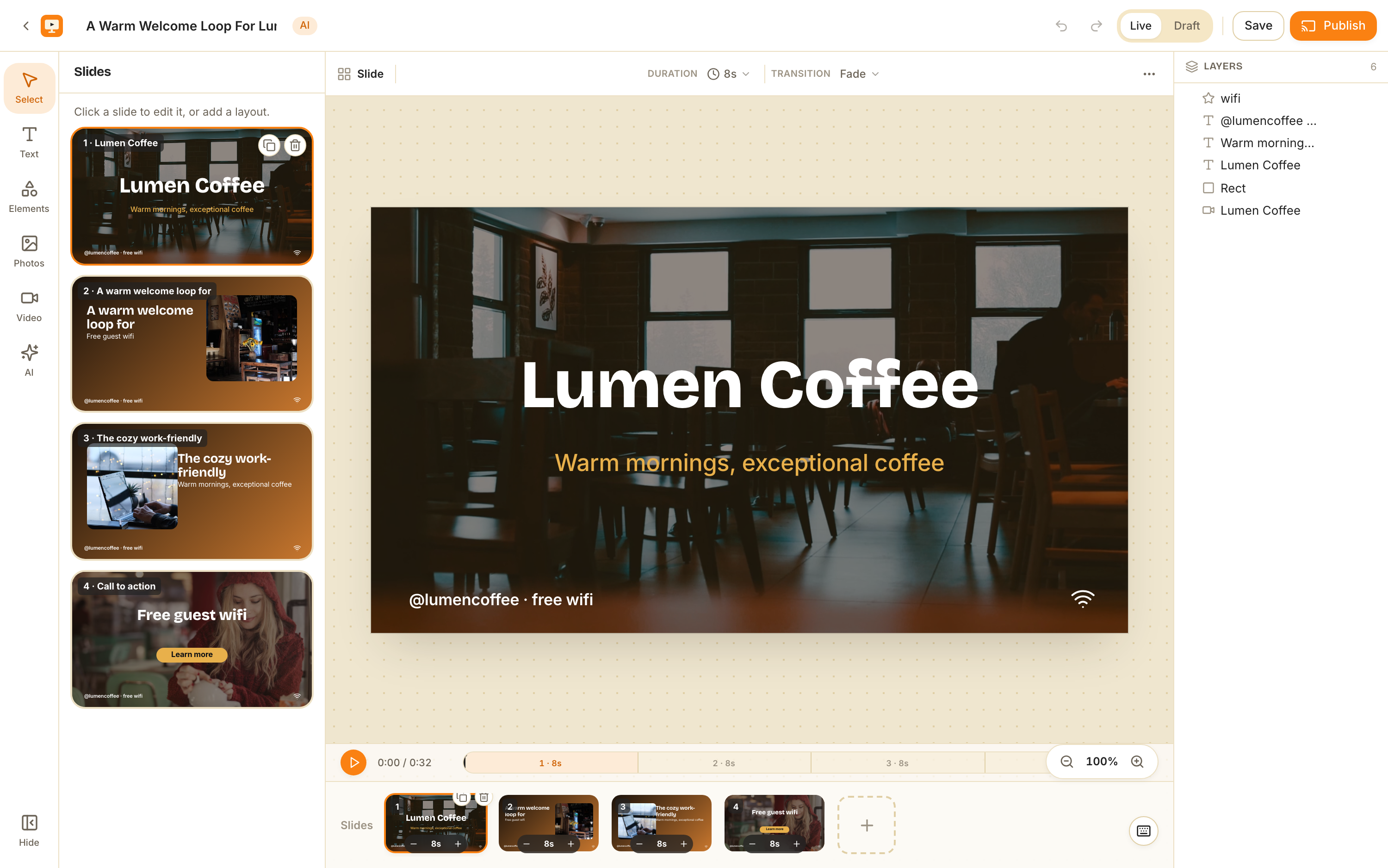
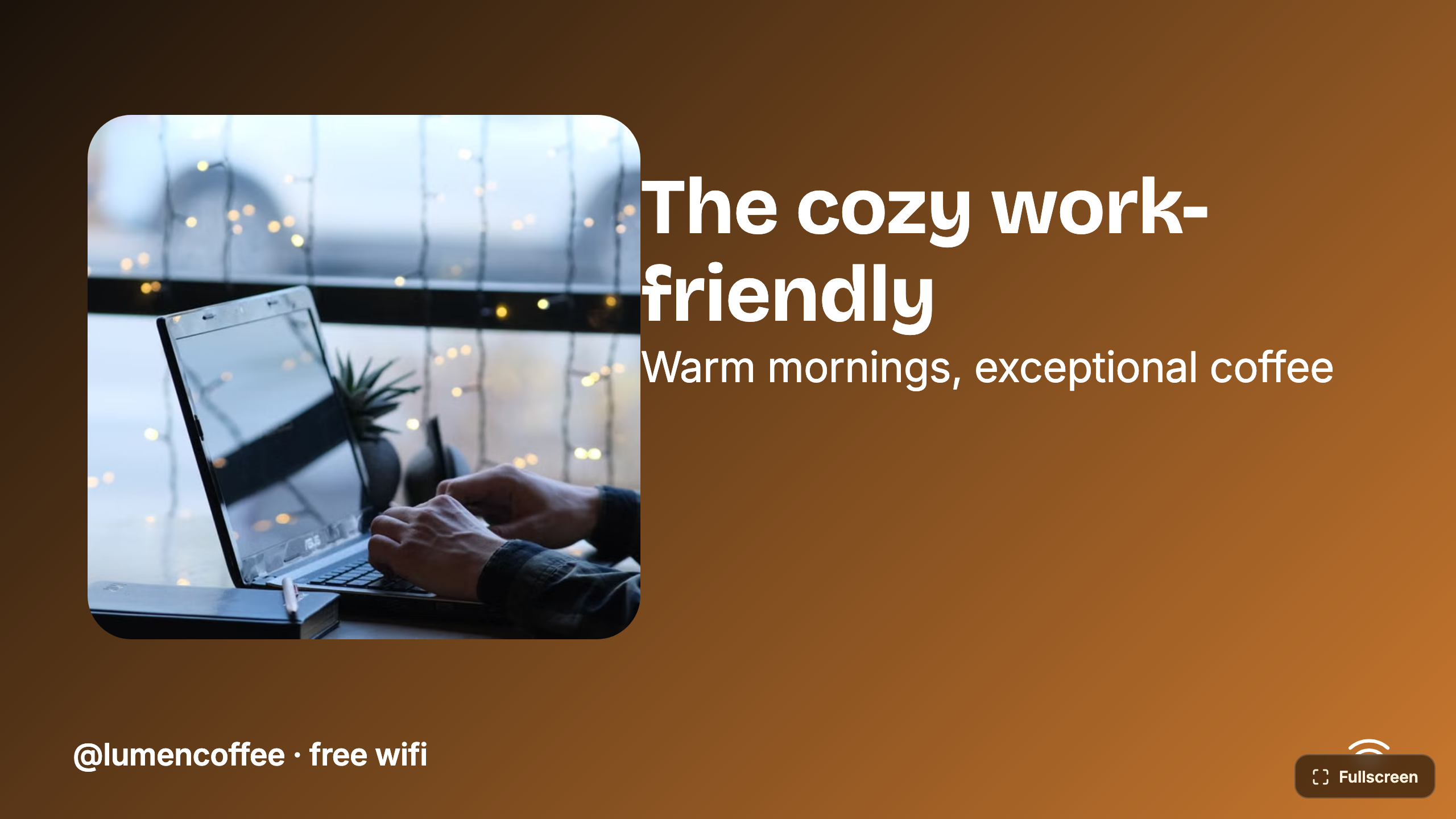
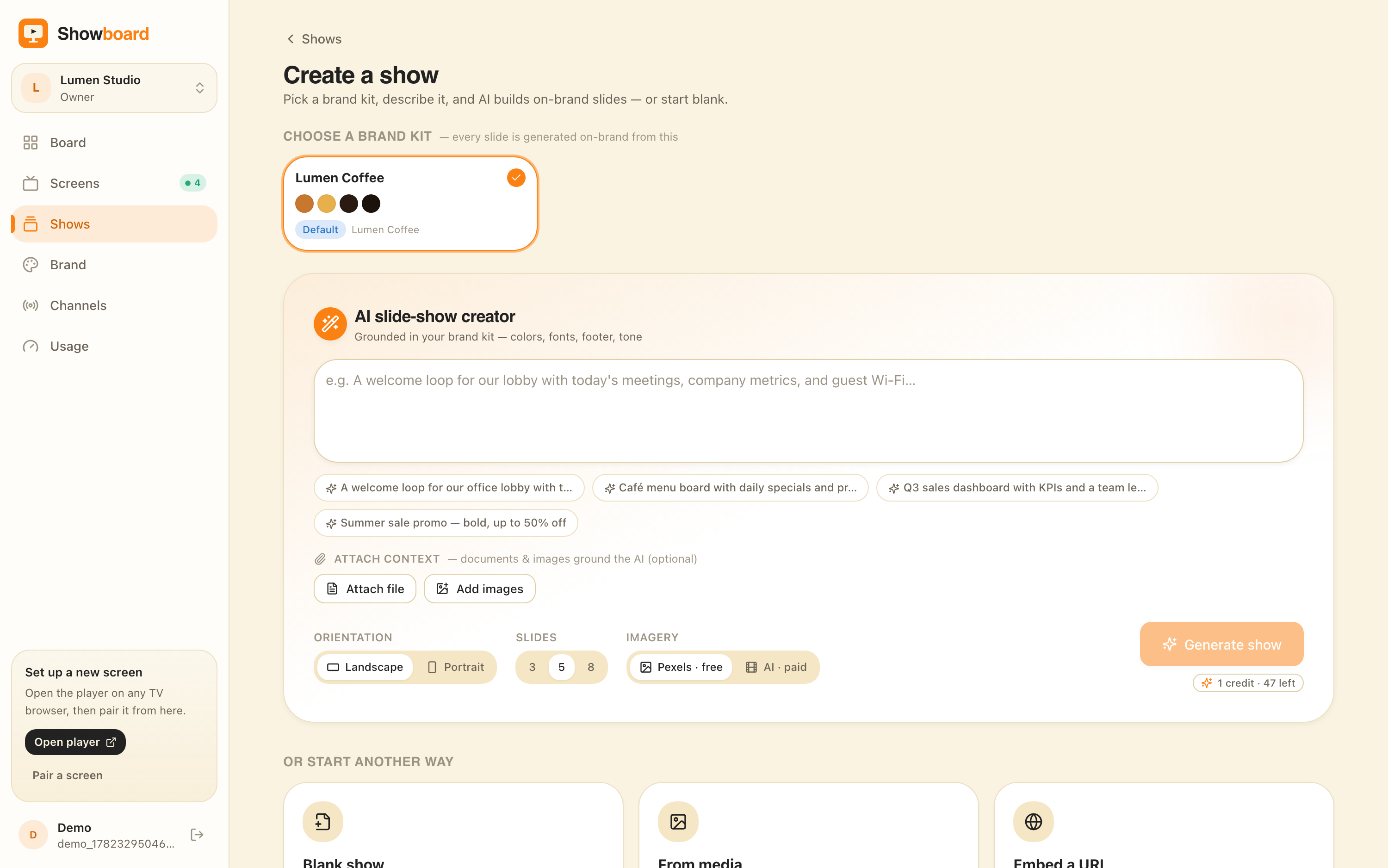
ChannelOS is AI-first end to end. You pick a subject, goal and look from chips — no prompt-writing — and AI drafts a complete, on-brand, multi-slide show. It reads attached PDFs, images and a webpage URL straight into slides. The output is a real editable show in a Canva-style editor, not a flat export: every element is selectable, with one-tap background removal and live clock, weather and QR widgets.
Why it matters: most people don’t have a designer. A single AI image doesn’t fill a screen — description-first creation means the whole show exists, sequenced and on-brand, before you make a single layout decision.
How fast do changes reach every screen?
Play publishes updated playlists to each player; ChannelOS derives every screen from the schedule in real time, so one edit airs everywhere instantly. Play has strong scheduling and dayparting: you build playlists, create a Group, add players to it, and assign content all-day or by time window. Each group has a base playlist that always plays unless a schedule overrides it, and multiple time-window schedules give you dayparting (breakfast 8–10, lunch 12:30–15:30). But changes go live via Publish, which pushes content and schedules out to the player devices.
In ChannelOS, what a screen shows is derived from the show plus the channel schedule plus the clock, moment to moment. Edit once and it airs everywhere with no publish-and-wait and no per-device sync. Channels support dayparting (different content by hour and weekday vs weekend, set once) and live takeover — drop an urgent message on every screen, then resume the schedule.
Why it matters: a typo on the lunch menu is fixed on every screen the instant you save it — there’s no publish step and no waiting for players to pull it down.
What does Play Digital Signage cost vs ChannelOS?
Play gives one screen free forever then charges per screen with volume discounts; ChannelOS gives your first screen free then flat per-screen pricing. Play’s free tier is genuinely generous — one screen free permanently, no credit card, with a review requested within 30 days. Paid tiers are per screen per month — roughly $8 Essential, $12 Pro and $16 Ultimate — and the per-screen price drops as you add screens, with 10% off for annual prepay, a 20% non-profit discount, and usage-based mid-month cancellation. (Treat the exact dollar figures as cross-sourced; check the live pricing page before you commit.)
ChannelOS makes your first screen free, then charges per screen per month — no seats to count, no setup fees. Because the TV is the player, there’s also no player device or stick to buy and maintain alongside the subscription.
Why it matters: Play wins on raw per-screen software price; ChannelOS folds away the hidden line item — the media device per screen — and the design labor an AI-drafted show replaces.
Who should still choose Play Digital Signage?
Choose Play if you want the lowest possible cost and maximum hardware freedom, and you’re happy to design each slide by hand. Play’s real strengths are concrete: rock-bottom per-screen pricing with a free-forever screen and no credit card, true device-agnostic BYO across Raspberry Pi, Fire TV, smart-TV SoC and mini PCs plus a browser PWA player at player.playsignage.com, and strong self-serve authoring — a drag-and-drop editor with zones, tags, if-then slide conditions and full group-based dayparting. If you’re a budget-conscious SMB, school or church that wants cheap, scalable signage and doesn’t mind building every slide yourself, Play is a strong choice.
Why it matters: the honest fork is lowest cost and hardware flexibility with manual design (Play) versus no device, AI-drafted shows and edit-once scheduling (ChannelOS).
A Play Digital Signage alternative that needs no player hardware
People look for a Play Digital Signage alternative for one of three reasons: the device behind each TV quietly became the job, the drag-and-drop editor stayed a blank canvas because nobody on the team designs, or a screen was still running last week’s playlist because nobody hit Publish. ChannelOS answers those three — not everything Play does.
Who should switch
You run somewhere between one and roughly ten screens in a café, salon, clinic, gym, dealership, church or shop, and nobody on the payroll is an AV tech or a designer. The TVs are already smart TVs, and buying, wiring and updating a Pi or a stick per screen is overhead you never wanted. What you get by moving: pair a TV in its own browser in about two minutes, describe a show in one sentence and have AI draft the whole thing — it will read a PDF, an image or a webpage URL for context — and then edit once, because every screen derives what it plays from the schedule and the clock rather than from a push. Menu boards have a running start in the free menu board maker, and the templates gallery covers the rest; the wider case for skipping the box is in no media player required.
Who should not switch — and what you give up
Play is better than ChannelOS at several real things, and if any of them is load-bearing for you, stay.
- Zones and if-then slide conditions. Play’s editor composes a screen from zones and can vary slides conditionally. ChannelOS has no equivalent; a slide is a slide.
- Hardware you already own that has no usable browser. An old Raspberry Pi 3, a signage-only SoC, a locked-down mini PC — Play’s native players run there, a browser-based tool cannot.
- Network tolerance. A native player app holds content on the device. A browser tab is more exposed to flaky in-store wifi, which matters more in a warehouse than in a café.
- Cost at scale. Play’s per-screen price falls as screens rise, with annual and non-profit discounts. Across forty screens Play is very likely cheaper on software alone; our pricing is flat per screen with the first free.
The switch is worth making when the hardware and the design work are the expensive parts — not when the software line item is.
The jobs, side by side
| The job | Play Digital Signage | ChannelOS |
|---|---|---|
| Get a screen live | Install the player app or PWA on a Pi / Fire TV / mini PC | Open one URL on the TV — pair from your phone in ~2 min |
| Make a show | Design every slide by hand; AI makes single images only | Describe it — AI drafts the whole multi-slide show |
| Change what’s playing | Edit, then Publish to push to each player | Edit once — it airs everywhere instantly |
| Run the wall | Group and per-player dashboards and schedules | One live board: play · pause · blank · mute · next · hold |
| Setup before pixel one | Bring and set up a device per non-smart TV | None — pair and publish in minutes |
Feature comparison
| Feature | Play Digital Signage | ChannelOS |
|---|---|---|
| Media-player hardware | BYO device (Pi / Fire TV / mini PC) or smart-TV; no proprietary box | None — the TV’s browser is the player |
| Free tier | ✓ one screen free forever, no card | ✓ first screen free |
| AI drafts the full show | ✗ text-to-image images only | ✓ complete multi-slide show |
| Browser pairing (no app on TV) | partial — browser PWA is one option; native apps too | ✓ pair a URL, no app |
| Edit once, airs everywhere | partial — Publish pushes to players | ✓ derived from schedule in real time |
| Dayparting / scheduling | ✓ | ✓ |
| Pricing model | Per screen, volume discounts + annual savings | Per screen, no seats, no setup fees |
So which should you choose?
Choose Play Digital Signage if you want the lowest per-screen software price and total hardware freedom — reusing a Raspberry Pi, Fire TV Stick or old mini PC across many screens, or leaning on a smart TV’s built-in player — and you’re comfortable designing each slide by hand with zones, tags and if-then conditions.
Choose ChannelOS if you want a screen live in minutes with no app and no device on the TV, an AI-drafted show instead of a blank editor, and one live board where an edit airs everywhere at once. Your first screen is free. The test: see whether the first AI draft is something you edit or something you throw away. That single answer tells you which of these two products you actually want.
Frequently asked questions
- What's the main difference between ChannelOS and Play Digital Signage?
- Play Digital Signage is a low-cost, bring-your-own-hardware signage CMS: you run its player app or browser PWA on a Raspberry Pi, Fire TV Stick, mini PC or smart TV, and build every slide by hand in a drag-and-drop editor. ChannelOS runs as a web page in the TV's own browser, and its AI drafts a complete multi-slide show from one description.
- Do I need a media player device for Play Digital Signage?
- Play doesn't sell or mandate its own box, but a non-smart TV still needs some device to drive it — typically a Raspberry Pi 4/5, Fire TV Stick, Chromecast, Nvidia Shield or a mini PC — or you use a smart TV's built-in player app or the browser PWA. ChannelOS needs no player box and no app: you open a URL on the TV you already own and pair it from your phone in about two minutes.
- Is ChannelOS cheaper than Play Digital Signage?
- Play has a genuine free tier — one screen free forever, no credit card — then paid plans priced per screen per month (roughly $8, $12 and $16 for Essential, Pro and Ultimate) with volume discounts and annual savings. ChannelOS also gives your first screen free, then charges per screen per month with no seats and no setup fees. Compare current plans for your screen count.
- Who should still use Play Digital Signage?
- Teams that want the absolute lowest cost and maximum hardware freedom — reusing a Raspberry Pi, Fire TV Stick or old mini PC across many screens — and are happy to design each slide by hand with zones and if-then slide conditions are well served by Play. ChannelOS is for people who want a screen live in minutes with no app and an AI-drafted show.
- What is the best Play Digital Signage alternative?
- It depends on which part of Play you're trying to leave behind. If the problem is the device behind each TV, ChannelOS is the closest fit: it runs as a web page in the TV's own browser — Android TV, Google TV, webOS, Fire TV or a browser stick — so there's no hardware to provision per screen, and its AI drafts a complete multi-slide show from one sentence instead of leaving you with a blank editor. If the problem is only price at high screen counts, Play is already near the floor and a move is unlikely to pay for itself. If you need zone-based layouts or if-then slide conditions, no browser-based tool replaces those today.
- How hard is it to switch from Play Digital Signage to ChannelOS?
- There is no import path between the two, so switching means rebuilding your content — but rebuilding is much of the point. Instead of recreating slides one by one, you describe each show in a sentence, or upload the source PDF, image or webpage URL the original slides were made from, and AI drafts the whole show for you. Practically: pair one TV in about two minutes, redraft your busiest show, put it on a channel with its dayparting windows, and run it alongside Play until you trust it. A brand kit keeps fonts and colours consistent across everything you redraft, and finished shows and channels export as portable files so a second site copies the first rather than starting over.
Your screen is two minutes away.
Open the player on a TV, scan the code, publish a show. Your first screen is free.